
Contents
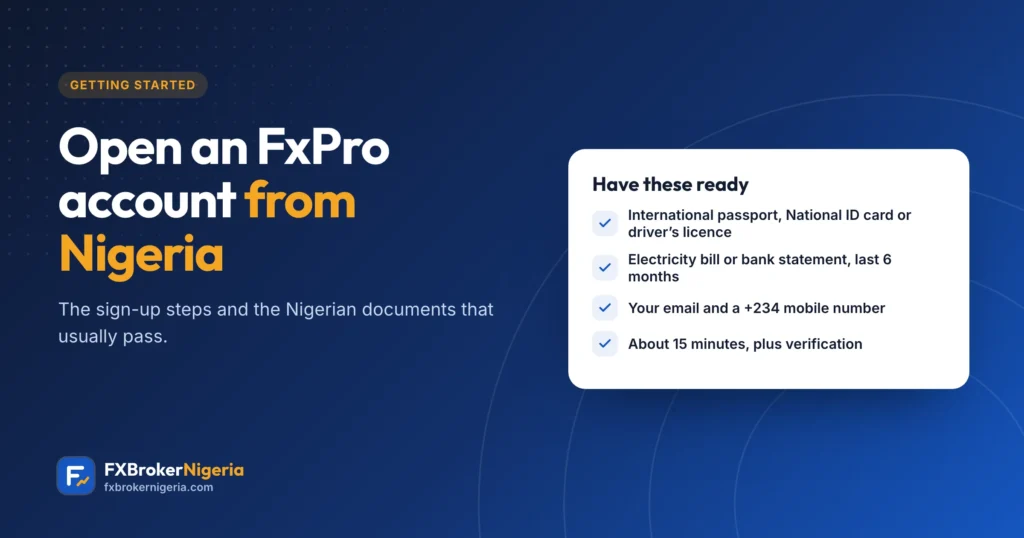
Opening an FxPro account from Nigeria takes about fifteen minutes, plus the time it takes to verify your documents. Here are FxPro’s actual steps, with notes on the Nigerian documents that usually pass and the slip-ups that hold applications back.
Before you start
- Read our regulation guide: FxPro is not registered with Nigeria’s SEC.
- Have your photo ID and a recent proof of address ready, as clear photos or scans.
- Use an email address and a phone number you will keep; FxPro sends codes and account details to them.
Step 1: Register
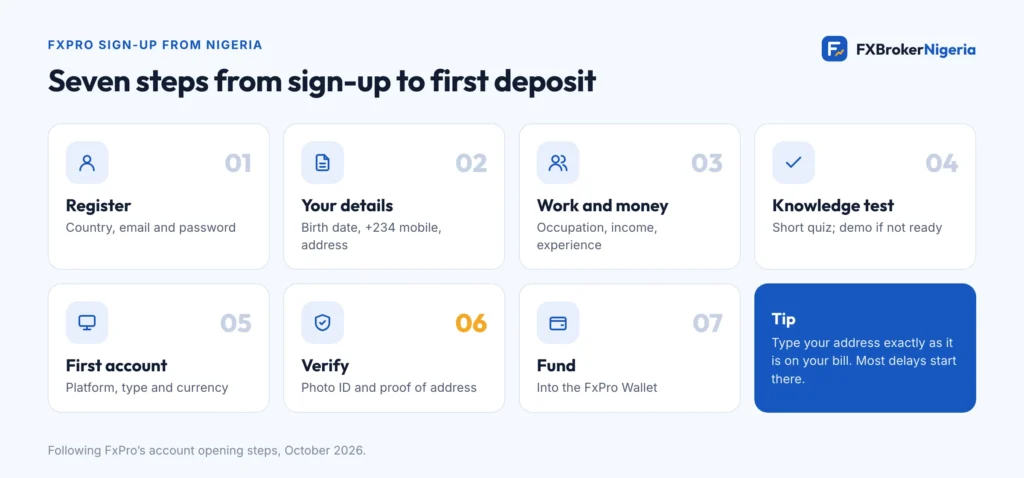
Open FxPro’s sign-up page. The first screen asks for your country of residence (Nigeria), your email and a password. Choose a strong password you do not use anywhere else.
Step 2: Personal details and address
FxPro then asks for your nationality, date of birth and mobile number (with +234), followed by your residential address. Type the address exactly as it appears on the bill or statement you will upload, including the street, area and state.
Step 3: Work, finances and experience
As a regulated broker, FxPro asks about your occupation, education, income, savings and trading experience. Answer honestly: the answers decide whether CFD trading is treated as appropriate for you.
Step 4: The knowledge test
A short quiz on financial markets follows. FxPro says that if you are judged not yet experienced enough you can carry on with a demo account, which is a sensible start anyway.
Step 5: Your first trading account
Pick a platform (FxPro app, MT4, MT5 or cTrader), an account type and a currency. FxPro lists NGN as an account currency for certain jurisdictions; if it is offered to you, compare it with USD before choosing. Not sure which account? See FxPro account types.
Step 6: Verify your identity and address
| Document | Nigerian examples | Tips |
|---|---|---|
| Photo ID | International passport, National Identity Card, or driver’s licence | Valid and in date; photograph both sides of a card |
| Proof of address | Electricity bill from your distribution company, or a bank statement | Issued in the last six months; name and address must match your profile |
Upload documents only in FxPro Direct or the FxPro app; FxPro says it does not process documents sent by email. Take the photos in daylight, flat on a table, with all four corners visible.
Step 7: Fund it, then start small
Once verified, deposit into the FxPro Wallet and move money to your trading account. Our funding guide compares the options that work from Nigeria. Try a few trades on demo first.
Why applications stall
- The address typed in the profile does not match the bill or statement.
- The proof of address is older than six months, or in someone else’s name.
- Only one side of an ID card was uploaded, or the photo is blurred or cropped.
- A second profile was opened with the same details.
Sources
Checked in October 2026. Found something out of date? Tell us and we will fix it.